
Turn Off Reading Progress Markers Before Capture
Kindle Cloud Reader's Reading Progress options add page and time indicators to the screen. Turn them off once so TextMuncher captures only the book text.
Why it matters
Reading Progress markers sit directly on the page. If they are visible, they can get captured and OCR'd as junk text mixed into your book text. Turning them off keeps each capture clean, with no page or time indicator polluting the output.
Where to change it
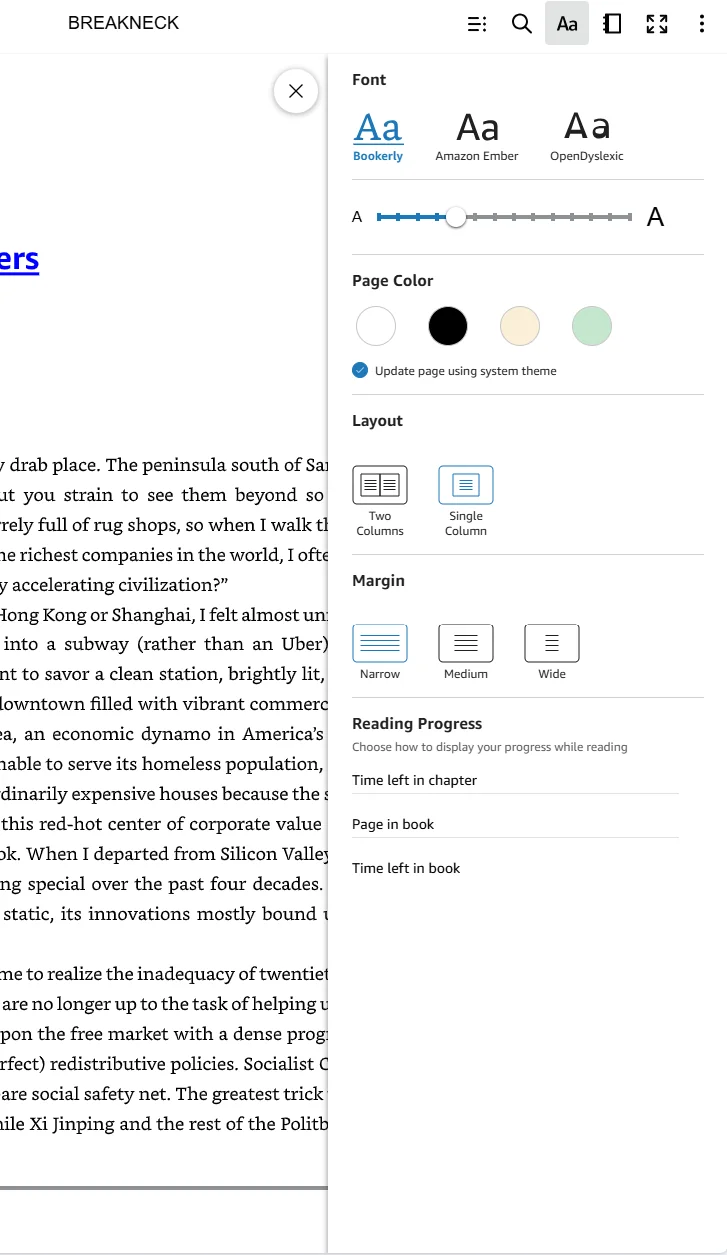
In Kindle Cloud Reader, open the Aa menu. Under Reading Progress, turn off Time left in chapter, Page in book, and Time left in book. Leave none checked.
This, not that
Progress markers on — avoid
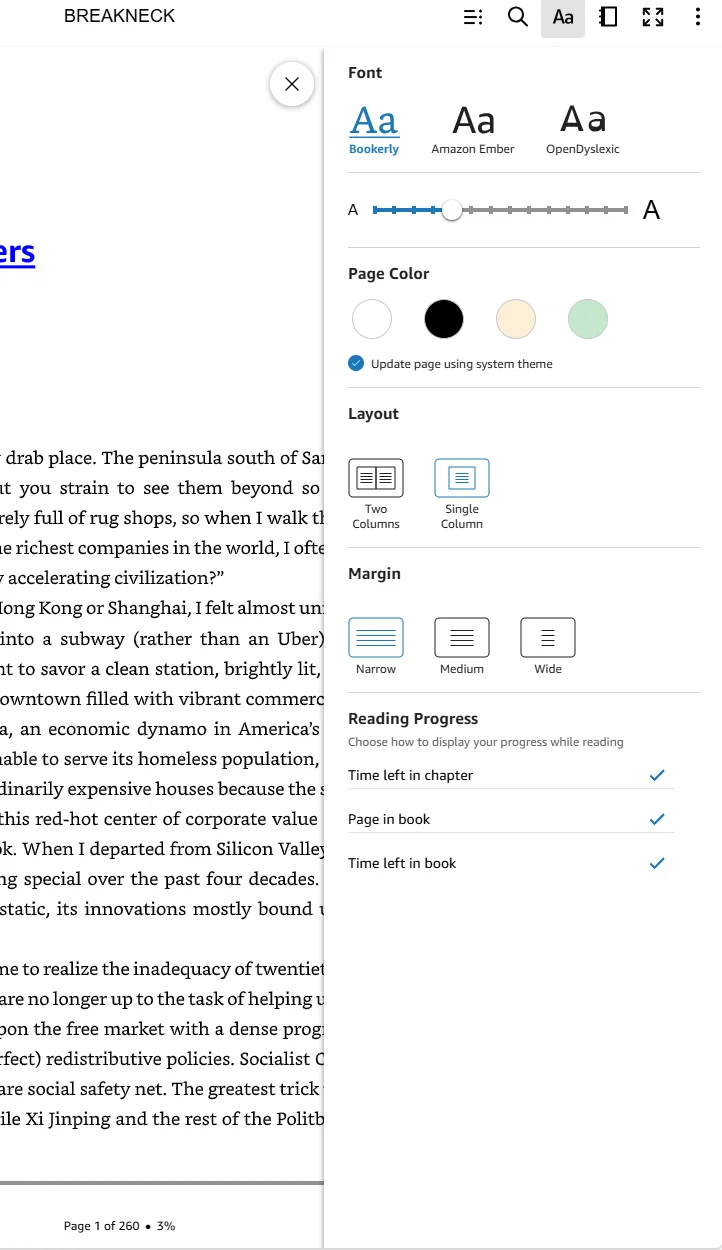
Checked progress options put page and time indicators on the book page, where they can be captured as stray OCR text.
Progress markers off — do this
With all three options unchecked, the captured page stays clean and TextMuncher reads only the book text.
What stray markers do to your text
A progress marker is small, but OCR has no idea it is furniture rather than prose. Page 143 of 512 lands in the middle of your extracted text as though the author wrote it - once per page, several hundred times across a book.
A consistent pattern can be cleared afterwards with search and replace. Time-remaining lines are the harder case, because the wording changes as you read: 4 minutes left in chapter becomes 3 minutes left in chapter and then something shorter near the end, so no single rule catches every variant. Switching the options off once costs less than cleaning up after them.
Three options, and why all three come off
In current versions Kindle Cloud Reader lists the progress readouts as separate switches - expect names along the lines of Time left in chapter, Page in book, and Time left in book - and only one of them needs to be on for something to appear on the page.
Leaving the page-number switch on is the common mistake, because a page number looks like part of the book rather than part of the reader. Uncheck every one of them before a capture run. Nothing about the book changes - you can switch them back on the moment you are done.
Check one page before a long run
Turn the options off, then look at the page as it sits on screen. What you see is exactly what TextMuncher captures; there is no separate clean-page mode running underneath.
If the page shows only book text, the capture will too. Ten seconds of looking saves cleaning a whole chapter, and it is the only check that catches a setting you thought you had already changed.
Set this once before your next capture
Get TextMuncher Free30 free pages • No credit card • Cancel anytime