
Kindle DRM Removal in 2026: Why Calibre Broke and How to Get Your Text Without It
Screen-based OCR gets text from Kindle books you own, no DRM cracking. The new DeDRM route needs Windows, TPM 2.0, and pre-release tools.
Published • By Mike
TextMuncher does not remove, strip, or crack Kindle DRM. If you want the text from Kindle books you own in 2026 (for notes, research, AI tools, or accessibility), screen-based OCR reads the pixels displayed on the page without touching the encrypted file. Calibre and DeDRM now have a documented path again, but it requires a compatible Windows PC, TPM 2.0, and pre-release community tooling.
A note on what this guide is. This isn't a guide to cracking, stripping, or removing Amazon's encryption from
.azwfiles. It's an honest read on why the old Calibre + DeDRM workflow broke, how a narrower Windows-only route emerged in 2026, and how screen-based OCR works without touching DRM at all. If you're looking to decrypt files for redistribution, this guide won't help. If you want the text from Kindle books you already own (for notes, research, AI tools, or accessibility), keep reading.
Kindle DRM removal (using tools like Calibre and DeDRM to strip Amazon's encryption from .azw files) stopped being a simple, broadly available workflow after April 2025. Amazon removed USB downloads, blocked older Kindle for PC versions, and changed its encryption. A community-maintained DeDRM fork has since reopened a path through Amazon's replacement Windows app, but the hardware and software requirements exclude many readers. Screen-based OCR avoids that toolchain because it captures displayed text without touching the encrypted file.
If you've been searching for "kindle drm removal 2026," you've probably noticed the problem: most results are guides from 2023 that no longer work, sketchy software downloads, or Reddit threads telling you it's impossible.
Two years ago, removing Kindle DRM was a 15-minute project: download the file, open Calibre, run a plugin, done. In 2026, that simple workflow is gone. The replacement route is a multi-step process tied to a narrow Windows setup.
The thing most search results miss: you don't actually need to remove DRM to get text from your Kindle books. There's a different approach that doesn't depend on decrypting files, and it works wherever Kindle Cloud Reader displays readable pages and browser capture is allowed. Below: what broke, why, and what actually works right now.
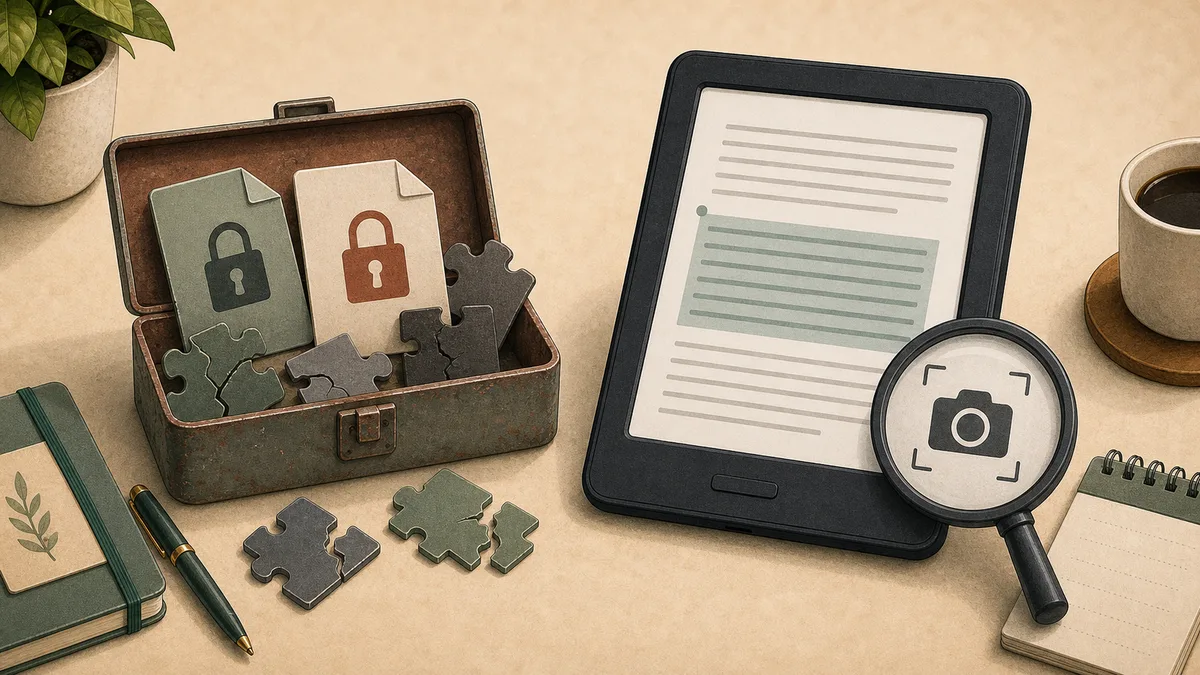
The Old Way Broke — Then DeDRM Adapted
The Calibre + DeDRM plugin was the standard Kindle DRM removal method from approximately 2012 to early 2025, used by millions of readers to convert .azw files into EPUB, PDF, or plain text. The workflow was straightforward:
- Log into Amazon, download your book as an
.azwfile via "Download & Transfer via USB" - Install Calibre with the DeDRM plugin
- Import the file, which automatically stripped the DRM
- Export as EPUB, PDF, or plain text
It was elegant. It was reliable. And Amazon spent years ignoring it. Until they didn't.
If you want the full play-by-play of how Amazon dismantled this ecosystem, I wrote the complete timeline of Kindle loopholes in 2025-2026. But here's the short version of what broke and what replaced it.
What Is DeDRM — And Does It Still Work in 2026?
DeDRM is the plugin that handles the decryption step inside Calibre. Calibre organizes and converts the ebook after import; DeDRM has to unlock the Kindle file first. That distinction matters because installing current Calibre alone does not make an unsupported Kindle file readable.
So does Kindle DeDRM still work in 2026? Yes, but the current free route is narrow and technical. On July 14, the Satsuoni fork shipped DeDRM v10.0.28, the pre-release that opened a path through Amazon's Microsoft Store Kindle app. It uses a separate key-extraction utility to produce an oldbooks.k4i keyfile and pairs with KFX Input in Calibre.
That is a real breakthrough, but not a return to the old 15-minute workflow. The documented route requires a Windows machine with TPM 2.0, the replacement Kindle app, pre-release community tooling, and several manual steps. It has no documented path for Mac, Windows on ARM, or older PCs without TPM 2.0. Satsuoni is a volunteer maintainer handle, not a software company with formal support or a published roadmap.
That route is still moving. Each Satsuoni release targets specific Microsoft Store Kindle app builds, so a new app version can break extraction until a matching plugin release lands. As of September 10, 2026 the current pre-release remains v10.0.31 (August 27), covering app builds 1.0.23514 and 1.0.23620, alongside KFX Input v2.34.2 (also August 27). Check both projects for the build you actually have before assuming the route works.
Why the Old DRM Removal Workflow Broke
Amazon didn't flip one switch. They spent all of 2025 closing loopholes one by one:
February 2025: USB downloads killed. Amazon removed the "Download & Transfer via USB" button from Manage Your Content. No downloadable file means nothing to feed into Calibre. The entire DeDRM pipeline lost its input overnight.
April 2025: Old Kindle for PC stopped working. Power users had been pinning Kindle for PC at version 2.4.0 because newer versions used encryption that DeDRM couldn't crack. In April, Amazon's servers stopped serving new books to the old app. If you bought a book after April 22, 2025, the old Kindle for PC can't download it.
September 2025: Firmware 5.18.5 locked down the direct hardware route. The 11th and 12th gen Kindle devices (Paperwhite, Colorsoft, Scribe) got a new encryption scheme that broke the public tools available at the time. The 2026 breakthrough came through the replacement Windows app, not by reopening this e-ink-device path.
March 2026: Older Kindles targeted too. Since March 2026, Amazon has been pushing the new DRM to older Kindle devices running firmware 5.16.2.1.1. The pool of hardware that still works with traditional DRM removal is shrinking fast.
June 30, 2026: Legacy Kindle for PC was retired and replaced. Amazon says the legacy app is no longer supported as of that date. Its current desktop help lists Windows 11 and macOS 10.14 or later; readers on an unsupported operating system are directed to Kindle for Web.
The bottom line: the old Calibre + DeDRM workflow is effectively over, but DeDRM itself is not dead. It adapted to Amazon's replacement Windows app. The tradeoff is that the new free path is high-friction and exclusionary: Windows, TPM 2.0, pre-release tools, and a multi-step keyfile process are now part of the deal.
What About Paid DRM Removal Tools?
You'll see ads for tools like Epubor Ultimate and BookFab/DVDFab, paid DeDRM alternatives that claim to remove Kindle DRM in 2026. BookFab is around $129.
I'm not going to tell you these tools are dead; that would go beyond the evidence. I have not independently verified a dependable replacement workflow across current titles and app builds. Check the vendor's exact supported Kindle app version and refund terms before paying.
The Method Amazon Can't Block: Screen-Based OCR
Screen-based OCR (Optical Character Recognition) is the extraction method that doesn't depend on decrypting the Kindle file, because it works at the display layer rather than the file layer. DRM protects the file. It encrypts the data stored on disk so you can't copy, convert, or redistribute the raw content. Every DRM removal tool works by cracking that encryption.
But when you open a Kindle book and read it, the text is right there on your screen. Amazon has to render it as visible pixels, otherwise you couldn't read the book you paid for. And once something is on your screen, you can capture it.
Screen-based OCR (Optical Character Recognition) sidesteps DRM entirely. You're not touching the encrypted file. You're not cracking any encryption. You're reading what's displayed on your monitor, the same thing your eyes are doing, and converting those pixels back into text.
This isn't a decryption loophole. It relies on the same visible text you see while reading. As long as Kindle Cloud Reader displays readable pages and browser capture is allowed, OCR can read them.
The principle is the same as taking notes from a library book. You're capturing what's presented to you, not breaking into the vault.
How OCR Extraction Actually Works
The manual version of OCR extraction looks like this:
- Open your book in Kindle Cloud Reader (read.amazon.com)
- Screenshot each page
- Run the screenshots through an OCR tool (Google Docs, Adobe Acrobat, or a dedicated OCR service)
- Clean up the output text
It works, but it gets tedious beyond a few pages. Capturing a chapter one page at a time can take a while.
TextMuncher automates this process. Its Chrome extension works in Kindle Cloud Reader, turns pages automatically, and captures the rendered pixels. TextMuncher can then OCR the captured pages into clean text, locally by default. It never extracts a key, decrypts a Kindle file, or depends on a Kindle desktop-app version.
I built it after watching the older file-based methods break over the course of 2025. The Kindle DRM alternative page has a detailed comparison with the traditional Calibre approach, but the short version is: TextMuncher works wherever Kindle Cloud Reader displays readable pages and browser capture is allowed — regardless of when you bought the book, what device you own, or what firmware you're running, because it never touches the DRM. The June 2026 app replacement, the TPM 2.0 requirement, and the DeDRM version don't change that.
What About Amazon's New DRM-Free EPUB Downloads?
In January 2026, Amazon started letting you download DRM-free Kindle books as standard EPUB and PDF files. That's genuinely great news, if the book you want happens to be DRM-free.
The reality is that most books aren't. The Big Five publishers (Penguin Random House, HarperCollins, Hachette, Macmillan, Simon & Schuster) enable DRM on virtually everything. Most self-published authors accept Amazon's default DRM setting without changing it. And there's no way to filter Amazon's store by DRM status, so you can't shop specifically for DRM-free titles.
If you want the full breakdown of what the EPUB download option does and doesn't cover, I wrote a guide to downloading Kindle books as EPUB.
Which Method Should You Use?
Here's my honest assessment for different situations:
If you just need a few quotes or highlights: try the Kindle highlights export at read.amazon.com/notebook first. It's free and works until you hit the publisher's copy limit (usually 10% of the book).
If you have old books and compatible hardware: a legacy Calibre + DeDRM route may still work for some pre-April 2025 purchases. The newer Satsuoni route can also work through the Microsoft Store Kindle app, but only if you meet its Windows, TPM 2.0, and pre-release-tool requirements.
If you need a chapter or section as text: OCR-based extraction avoids the DeDRM toolchain. TextMuncher's Chrome extension handles the capture automatically, or you can do it manually with screenshots and an OCR tool if you have the patience.
If you want to feed Kindle books into AI tools: check out our guide on using Kindle books with ChatGPT. The OCR approach gives you clean text that works perfectly with ChatGPT, Claude, Gemini, NotebookLM, or any other AI tool.
The Bigger Picture
Amazon's DRM crackdown isn't reversing. The licensing language they added in October 2025 made it explicit: you don't own your Kindle books, you license them.
The practical takeaway is that file decryption remains a version-and-hardware arms race. If your goal is usable text rather than an unlocked ebook file, the display layer is simpler: OCR reads the pixels already rendered for you without accessing or modifying the encrypted payload.
Calibre DeDRM Status: What Works as of September 2026
A lot of readers land here checking whether a specific piece of the old workflow still functions. Here's the current status board, last verified September 10, 2026:
| Component | Status as of September 2026 | Conditions |
|---|---|---|
| DeDRM plugin (Satsuoni fork) | Working path documented in pre-release v10.0.31 (August 27, 2026) | Requires the Microsoft Store Kindle app, a keyfile extraction step, a current KFX Input plugin (v2.34.2, August 27, 2026), compatible Windows hardware, and TPM 2.0; each release targets specific Store app builds (v10.0.31 covers 1.0.23514 and 1.0.23620), so an app update can break the route until a matching release lands; community-maintained with no vendor support or published roadmap |
| Purchased-book file download | DRM-free titles only | Amazon's current KDP documentation allows verified purchasers to download EPUB or PDF only when the publisher has confirmed the title as DRM-free; borrowed titles do not qualify |
| Legacy Kindle for PC (32-bit Win32 app) | No longer supported | Amazon's current help gives June 30, 2026 as the support cutoff; it does not document the server-side behavior of already-installed copies |
| Current Kindle desktop app | Available on supported systems | Amazon currently lists Windows 11 and macOS 10.14 or later, and directs unsupported systems to Kindle for Web; the community DeDRM route through the Microsoft Store app remains Windows-specific and version-sensitive |
| Kindle e-ink devices | No blanket status can be verified | Amazon documents automatic firmware updates and different current versions by model, but does not document third-party DRM-tool compatibility; results vary by device, firmware, and title |
| Paperwhite, Colorsoft, and Scribe device-file routes | No blanket status can be verified | Results vary by model, firmware, and title; neither Amazon nor current community release notes establish broad support across these devices |
| Screen-based OCR | No file-DRM dependency | Reads rendered pixels instead of the encrypted file, so it does not depend on desktop-app, TPM, DeDRM, or e-reader firmware compatibility |
The pattern in that table is the story: the DeDRM route survived, but it moved onto a narrow Windows-and-TPM toolchain. Screen-based OCR remains unaffected because it reads displayed pixels and never touches the file. This table gets re-verified monthly; the date stamp above is the last check.
FAQ
Does Calibre still remove Kindle DRM in 2026?
Yes, in narrow circumstances. The current documented route uses the Satsuoni DeDRM fork (pre-release v10.0.31, August 27, 2026) with Amazon's Microsoft Store Kindle app, a keyfile extraction step, and a current KFX Input plugin (v2.34.2). It requires compatible Windows hardware with TPM 2.0 and pre-release community tools. The old pinned Kindle for PC workflow was retired on June 30, 2026.
Is it legal to extract text from Kindle books using OCR?
Screen-based OCR captures what's displayed on your monitor, the same content your eyes see when you read. TextMuncher does not decrypt a file, extract a key, or alter DRM; it reads rendered pixels. Whether a particular use is lawful depends on the jurisdiction and what you do with the output. This isn't legal advice, so consult a professional if you have concerns about your specific use case. Read our copyright and fair-use guide.
What happened to the Kindle USB download option?
Amazon removed "Download & Transfer via USB" from Manage Your Content and Devices on February 26, 2025. Its current documentation allows verified purchasers to download EPUB or PDF files only for titles the publisher has confirmed as DRM-free; borrowed titles do not qualify. Amazon does not publish a catalog-wide count, so this page cannot responsibly claim what share of Kindle books qualify.
Can I remove DRM from Kindle books on my phone or tablet?
No. Traditional DRM removal tools like Calibre require a desktop computer and specific software versions. Screen-based OCR tools like TextMuncher work through desktop Chrome or Firefox. There's currently no reliable way to automate this text-extraction workflow in the Kindle mobile app, because mobile operating systems don't allow the kind of screen capture automation that makes OCR extraction practical.
What's the best free way to get text from Kindle books in 2026?
The best free option is Amazon's own highlights export at read.amazon.com/notebook, which lets you copy highlighted passages as plain text, but it's capped at the publisher's copy limit (usually 5-10% of the book). Beyond that, you can manually screenshot pages from Kindle Cloud Reader and run them through a free OCR tool like Google Docs. For anything more than a few pages, an automated solution like TextMuncher saves significant time, and it includes 30 free pages with no credit card required.
How do I remove DRM from Kindle books in 2026?
There is a documented free route again, but it is not broadly available. It requires the current Satsuoni DeDRM pre-release (v10.0.31), Amazon's Microsoft Store Kindle app, TPM 2.0, a separate keyfile step, and a current KFX Input plugin (v2.34.2) on compatible Windows hardware. There is no documented community route for Mac, Windows on ARM, or older PCs without TPM 2.0. If your goal is text rather than a decrypted ebook file, screen-based OCR is the practical alternative. TextMuncher reads the pixels Kindle Cloud Reader renders and never touches the encrypted file.
Is the Calibre DeDRM plugin still working in 2026?
Partially. The Satsuoni fork documents a working path through the Microsoft Store Kindle app, paired with a current KFX Input plugin and a keyfile step. The catch is substantial. Releases track individual Store app builds (v10.0.31, August 27, 2026, covers app versions 1.0.23514 and 1.0.23620), so the plugin needs updating whenever Amazon ships a new app build. It requires Windows, TPM 2.0, compatible hardware, and a multi-step community toolchain maintained by one volunteer handle without formal support or a published roadmap. It is a working path, not a dependable cross-platform product.
Looking for a way to extract text from your Kindle books? Try TextMuncher free: 30 pages included, no credit card required.