
How to Download Kindle Books as EPUB in 2026 (DRM-Free Only)
Download Kindle books as EPUB when they are DRM-free. Check eligibility, get the file from Amazon, and use OCR when your book does not qualify.
• By Mike
In January 2026, Amazon quietly made one of its most reader-friendly moves in years: Kindle books published without DRM can now be downloaded as standard EPUB and PDF files. No third-party tools. No workarounds. Just a download button on Amazon's website.
If you've been waiting for Amazon to let you actually own your ebook files, this sounds like great news. And it is, for about 2-5% of the Kindle catalog.
Here's how the new EPUB download works, how to check if your books qualify, and what to do about the vast majority that don't.
What Changed in January 2026
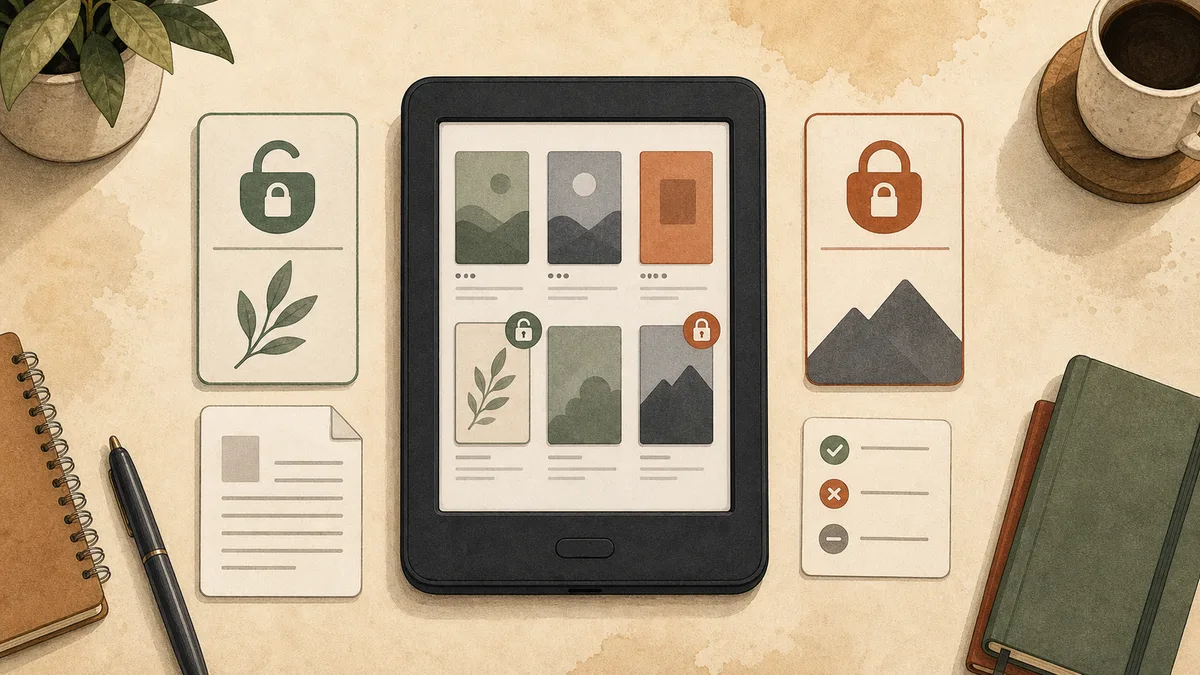
On December 10, 2025, Amazon announced a change to how DRM is applied on Kindle Direct Publishing (KDP). Starting January 20, 2026, books published without DRM can be downloaded in EPUB and PDF format directly from your Amazon account.
Previously, even DRM-free Kindle books were locked into Amazon's proprietary formats (AZW, KFX). You could read them on Kindle devices and apps, but you couldn't get a standard file to use elsewhere. Now, for qualifying books, you get real files you can open in Apple Books, Google Play Books, Kobo, or any EPUB reader.
This is a genuine improvement. But the "qualifying books" part is where the catch lives.
Which Books Qualify (And Which Don't)
The EPUB download only works for books that meet all of these criteria:
- Published without DRM on KDP. The author or publisher must have opted out of DRM when publishing. Amazon enables DRM by default. Most authors never change this setting.
- Published after December 9, 2025, or the author went back and opted out of DRM for older titles (rare).
- You're a verified purchaser. Kindle Unlimited borrows don't qualify. Only outright purchases.
Here's the problem: the Big Five publishers (Penguin Random House, HarperCollins, Hachette, Macmillan, and Simon & Schuster) enable DRM on virtually everything they release. Most self-published authors accept Amazon's default DRM setting without thinking about it. The books you're most likely to want in EPUB format are the ones least likely to qualify.
There's also no way to filter Amazon's store for DRM-free titles. You can't browse a "DRM-free" section or search for books you'll actually be able to download. You find out after you buy.
How to Check If Your Book Is DRM-Free
Unfortunately, Amazon doesn't make this easy. There's no clear "DRM-Free" badge on product pages. Here's how to check:
Before buying:
- Scroll to the Product Details section on the book's Amazon page
- Look for a "Simultaneous Device Usage" line. DRM-free books sometimes show "Unlimited" here.
- Check if the publisher is known for DRM-free releases (some indie publishers like Tor Books have gone DRM-free)
- Look for mentions of "DRM-free" in the book description (some self-published authors advertise this)
After buying:
- Go to Manage Your Content and Devices
- Find the book and click the action menu (three dots or "...")
- If you see a "Download & Transfer" or "Download EPUB/PDF" option, the book is DRM-free
- If no download option appears, the book has DRM
The lack of upfront transparency is frustrating. You're essentially buying a book and hoping it qualifies.
How to Download DRM-Free Books as EPUB
If your book qualifies, the download process is straightforward:
- Go to Manage Your Content and Devices
- Find the DRM-free book in your library
- Click the action menu next to the title
- Select "Download & Transfer" (or the EPUB/PDF download option)
- Choose your preferred format (EPUB or PDF)
- Save the file to your device
That's it. The file is a standard EPUB or PDF with no DRM restrictions. You can open it in any compatible reader, back it up to your cloud storage, or pull the plain text out of the EPUB for AI tools and notes.
How to Download Kindle Books in 2026: Know Which "Download" You Mean
There are three different Kindle actions that Amazon calls a download, and only one gives you an EPUB file you control:
- Download a purchased DRM-free Kindle book as EPUB or PDF. This is the new 2026 option covered in this guide. You get a standard file outside the Kindle app, but only when the publisher opted out of DRM and you bought the book outright.
- Deliver a Kindle purchase to a device or app. Clicking "Deliver to device" downloads the book for offline reading inside Amazon's ecosystem. It does not give you an EPUB file on your computer.
- Send an EPUB you already own to Kindle. Send to Kindle moves an outside EPUB into your Kindle library for reading. It does not turn an Amazon purchase into a downloadable EPUB.
That distinction explains why two people can both say they downloaded a Kindle book but end up with completely different results. One has a portable EPUB. The other has an offline copy that still opens only through Kindle.
If your goal is to download books as EPUB from Amazon, start in Manage Your Content and Devices and look for the EPUB/PDF option. Do not use the device-delivery button as proof that the title is DRM-free; protected books can still be delivered for offline reading.
Free EPUB Downloads for Kindle: What Actually Qualifies
A search for a free EPUB download for Kindle usually means one of two things: finding a freely offered ebook to read on a Kindle, or getting an EPUB file from a Kindle title that cost $0. Those are not automatically the same.
Legitimate free EPUBs generally come from:
- Public-domain libraries. Sites such as Project Gutenberg and Standard Ebooks offer classics as free EPUB files. Download the file, then use Send to Kindle to add it to your library.
- Authors and publishers. Some writers give away DRM-free EPUBs through their own sites, newsletters, or launch promotions. Because you receive the file directly, you can keep it and send it to Kindle.
- DRM-free Kindle Store listings priced at $0. These can qualify for Amazon's EPUB/PDF download, but only if the publisher opted out of DRM. A zero-dollar price by itself does not make the file downloadable.
Be skeptical of sites promising free downloads of current commercial Kindle bestsellers. A random site having an EPUB button does not mean the publisher authorized the copy, and it may be serving a mislabeled or malicious file. For current Amazon titles, the reliable test is still the action menu in your own purchased library.
Why the Amazon EPUB Download Button Is Missing
If a guide says Amazon EPUB downloads are available but you cannot find the button, check these conditions before troubleshooting your browser:
- The title has DRM. This is the usual reason. Major-publisher books and many self-published titles keep Amazon's default DRM setting.
- You borrowed the book. Kindle Unlimited and other borrowed titles do not include a permanent EPUB/PDF download, even when the underlying edition is DRM-free.
- The publisher has not enabled downloads for that edition. An author can publish one edition without DRM while another edition remains protected. Eligibility belongs to the specific Kindle listing you purchased.
- You are looking at device delivery. "Deliver or Remove from Device" controls where the Kindle edition appears. It is not the EPUB/PDF export.
There is no converter hidden elsewhere in the account menu. If the purchased title's action menu does not show the EPUB/PDF option, Amazon is not offering a standard file for that edition. At that point, choose the fallback based on what you need: Kindle's highlight export for a few saved passages, or screenshot OCR for visible pages and longer sections.
If you need plain text rather than a portable ebook file, the Kindle-to-text workflow shows the capture-and-extract route for books you bought that open in Kindle for Web.
The Reality Check: Why Most of Your Library Won't Qualify
Let's be honest about the numbers. According to Kindlepreneur, the vast majority of books sold on Amazon have DRM enabled. This isn't speculation. It's the default setting on KDP, and most authors don't change defaults.
Consider your Kindle library right now. How many of your books are:
- From major publishers? → DRM protected
- Bestsellers? → Almost certainly DRM protected
- Kindle Unlimited borrows? → Don't qualify regardless
- Self-published but the author didn't opt out of DRM? → DRM protected
For most readers, the new EPUB download applies to a handful of titles at best.
This is also coming after a year where Amazon systematically closed every other method for getting text out of Kindle books: USB downloads removed, Calibre workarounds killed, My Notebook copying restricted, and new hardware encryption deployed. The DRM-free EPUB option is a small door opening after a year of walls going up.
What to Do About the Other 95%
If the book you need text from has DRM, which covers most of what people actually read, one method still works reliably in 2026: screenshot-based OCR. For the full picture of what to do when your book isn't DRM-free, including why the old Calibre route died, see the DRM removal status guide.
What works: screenshot OCR. OCR operates at the pixel level. If you can see the page on your screen, OCR can read it back as selectable text. Amazon's DRM controls the encrypted file, but it does not control what your screen displays. This is the Kindle DRM alternative that reads your screen instead of the file. TextMuncher automates the whole flow: a browser extension turns the pages and captures them for you, then runs batch OCR with high accuracy on the Kindle books you are already reading. Nothing to download, and no waiting to find out whether your title qualifies. The method behind that claim is public: see the published OCR benchmark and its method.
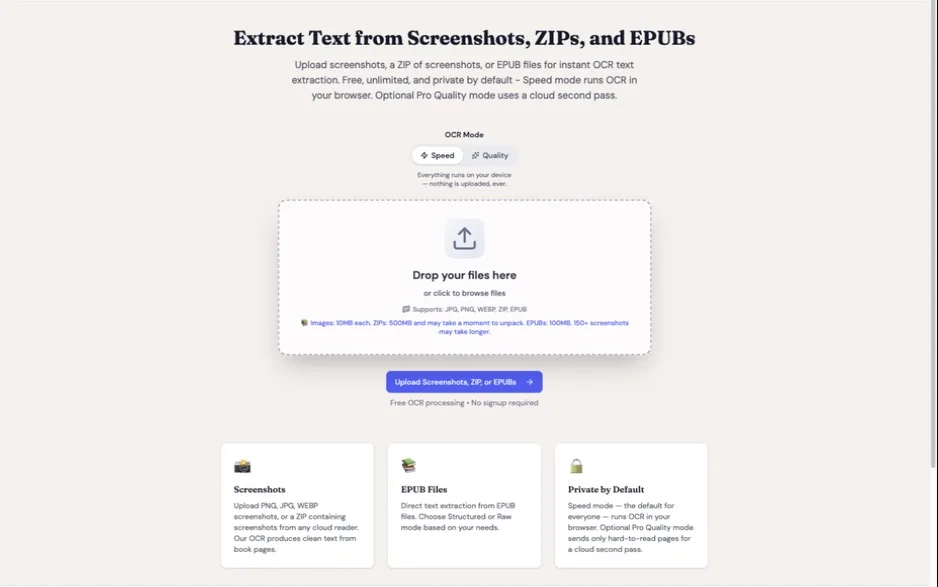
Skip the 2-5% gamble. Instead of buying a book and hoping it turns out DRM-free, get the text from the Kindle books already in your library. Try TextMuncher free: 30 pages included, no credit card.
The built-in and third-party alternatives all fall short in 2026:
Built-in options (all restricted):
- Kindle highlights: Limited to 5-10% of the book's content. The publisher's copy limit caps what you can export. A Kindle highlights export tool helps organize what you can get, but it can't lift the cap.
- Kindle's "Export Notebook": Same 5-10% restriction applies.
- Copy-paste from the reading view: Blocked by DRM. See our guide on why you can't copy Kindle text.
Third-party tools (mostly broken):
- Calibre + DeDRM plugins: Only works for books purchased before April 2025, on older Kindle hardware that hasn't been updated. The window is closing fast. See our TextMuncher vs. Calibre comparison.
- Kindle Cloud Reader DevTools: Amazon now renders many books as canvas images rather than HTML text. The text isn't in the DOM to copy.
Amazon's DRM-free EPUB download is a welcome change, but it applies to the books that were already the least restricted. The books most readers actually struggle with (the bestsellers, the textbooks, the research material from major publishers) remain locked down tighter than ever. For those, screenshot OCR is the path that still works.
FAQ
Can I download any Kindle book as EPUB?
No. Only books published without DRM on Kindle Direct Publishing qualify for EPUB/PDF download. The majority of commercially published books have DRM enabled by default. There's no way to filter Amazon's store for DRM-free titles before purchasing.
Do Kindle Unlimited books qualify for EPUB download?
No. The EPUB download option is only available for outright purchases, not Kindle Unlimited borrows. Even if the underlying book is DRM-free, borrowing it through KU doesn't grant download rights.
How do I know if a Kindle book has DRM before I buy it?
Amazon doesn't clearly label DRM status on product pages. Your best options: check the "Simultaneous Device Usage" field in Product Details (DRM-free books may show "Unlimited"), look for publishers known to be DRM-free (like Tor Books), or check if the author mentions DRM-free in the description. There's no guaranteed way to know before purchasing.
What happened to downloading Kindle books via USB?
Amazon removed the "Download & Transfer via USB" option on February 26, 2025. This was the primary method readers used to obtain Kindle book files for use with tools like Calibre. The only download option now available is the new EPUB/PDF download for DRM-free books. For the full timeline of changes, see our post on how Kindle loopholes changed in 2025-2026.
Is there a legal way to extract text from DRM-protected Kindle books?
TextMuncher captures rendered pages you can already view and uses OCR to turn the screenshots into text. It does not decrypt ebook files. Whether a particular use is permitted depends on the jurisdiction, the material, and what you do with the output. This is not legal advice. Read our copyright and fair-use guide.
Will more books become DRM-free over time?
Possibly. Amazon's decision to support DRM-free EPUB downloads could encourage more self-published authors to opt out of DRM, since readers now get a tangible benefit (downloadable files) from DRM-free titles. However, major publishers have shown no indication of changing their DRM policies. The Big Five have been consistent DRM advocates for over a decade.
Most Kindle books won't qualify for EPUB download. Try TextMuncher free to get the text from the ones that don't: 30 pages included, no credit card.