
Why I Extract Text Before Using AI (And You Should Too)
I used to paste screenshots into ChatGPT. Then I did the math. Here's why extracting text first saves tokens, money, and headaches.
• By Mike
I used to paste screenshots into ChatGPT. A page here, a chapter there: screenshot, upload, ask a question. It worked. ChatGPT's vision is genuinely impressive at reading book pages.
Then I did the math on what those screenshots were actually costing me in tokens. And I changed my entire workflow overnight.
Now I extract the text first, every time. Here's why, and why you probably should too.
Every AI Tool Starts With the Same Problem
In 2026, there's no shortage of ways to use AI with books. NotebookLM just added EPUB support. ChatGPT has Study Mode. Claude can process 200,000 tokens in a single conversation. Karpathy built reader3 and racked up 3,400 GitHub stars overnight.
But every single one of these tools has the same prerequisite: they need your text in a portable format.
NotebookLM's new EPUB support? Doesn't work with DRM-protected files, which is every book you've bought from a major retailer. ChatGPT Study Mode? Needs a PDF or text upload. Claude? Same. Reader3? Only works with DRM-free EPUBs from Project Gutenberg.
If your books live in Kindle Cloud Reader, you're stuck. Amazon blocks copy-paste, limits highlight exports to 10-15% of any book, and renders pages as images so you can't even select the text.
The extraction step isn't optional. It's the bottleneck.
The Token Math Changed My Mind
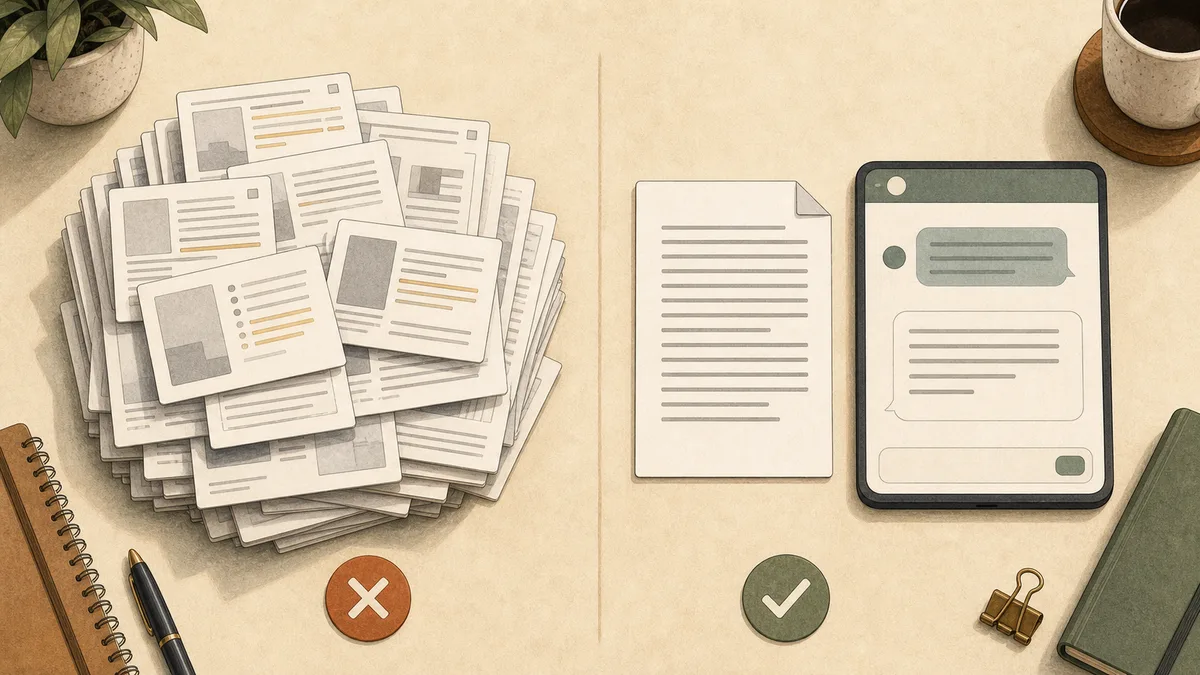
I covered the full token breakdown in a previous post, but here's the number that convinced me: a 20-page chapter costs roughly 37,000 tokens as screenshots in Claude, versus 10,000 tokens as extracted text. That's a 3-4x difference on the first message alone.
But it gets worse with every follow-up question.
When you continue a conversation, the AI re-sends your entire chat history as context. Those 20 screenshots get re-processed on every single message. By your fifth question, you've burned through 185,000 tokens just re-sending the same images. With extracted text, that same conversation costs about 50,000 tokens.
That's not a rounding error. That's the difference between fitting a full chapter discussion into Claude's free tier or blowing past it in three messages.
And if you're paying per token through the API? A 300-page book processed as screenshots costs $0.57 to $2.00 depending on the model. The same book as text costs a fraction of that.
I Can Use Any AI Tool I Want
This is the argument that sealed it for me. When I extract text from a book, I'm not locked into any single AI platform.
The same extracted chapter works in:
- ChatGPT for brainstorming and Study Mode quizzes
- Claude for deep analysis of full chapters and whole books (setup: Kindle to Claude)
- NotebookLM for Audio Overviews that turn my reading into a podcast
- Perplexity for fact-checking claims against current sources
- Dedicated study apps like StudyFetch and NoteGPT for flashcards, quizzes, and mind maps
- Local models for privacy-sensitive material
Compare that to Amazon's new "Ask This Book" feature. It's genuinely useful. You can ask questions about whatever you're reading and get AI-generated answers grounded in the text. But it's iOS only. US only. The answers can't be copied or exported. And you're limited to Amazon's AI, not the model that's best for your question.
I'd rather have my text in a file I control and use whichever AI tool fits the task.
My Actual Workflow (5 Minutes, Then Done Forever)
Here's what my reading workflow looks like now:
Step 1: Extract the text. For Kindle books, I use TextMuncher to automate screenshot capture and OCR. The browser extension handles page-turning; the web app handles the OCR. For DRM-free EPUBs, I upload directly. Either way, I end up with clean text.
Step 2: Save it. I keep a /books folder with one text file per book. It takes 5 minutes to extract a chapter and I never have to do it again.
Step 3: Use it everywhere. When I want to discuss a chapter with Claude, I paste the text. When I want to generate flashcards in ChatGPT, same text. When I want a NotebookLM Audio Overview for my commute, same text. When I want an AI summary built from the book's own words rather than a generic write-up, same text again. One extraction, unlimited uses.
The key insight is that extraction is a one-time cost. Screenshots are a per-conversation cost. Every time you screenshot pages and paste them into a new chat, you're redoing work you already did. Every time I open my text file and paste, it takes two seconds.
The Privacy Angle
When you paste screenshots into ChatGPT or Claude, those images get uploaded to their servers. For most people, that's fine. But if you're working with research notes, professional material, or anything sensitive, it's worth considering.
OCR can happen entirely on your device in Speed mode. TextMuncher processes that mode client-side using Tesseract.js. Your screenshots stay in your browser unless you switch on optional Pro Quality mode, which sends hard-to-read pages for a cloud second pass. The extracted text is just a text file. You decide where it goes.
For anything I wouldn't want on someone else's server, local extraction isn't just convenient. It's the only approach I'm comfortable with.
"But Screenshots Are Easier"
Fair point. For a single page with a quick question, screenshots are fine. I still use them sometimes. If I'm reading and hit a confusing paragraph, I'll screenshot it and ask Claude "what does this mean?" That's a 2-second interaction and the token overhead doesn't matter.
But the moment I'm working with more than 3-4 pages, or I know I'll come back to this content, or I want to use multiple AI tools, I extract first. The upfront effort pays for itself almost immediately.
The workflow has gotten easier too. Two years ago, extracting text from a cloud ebook reader meant manually screenshotting every page, running each through a separate OCR tool, and cleaning up the output by hand. Now tools like TextMuncher automate page turning and screenshot capture in Kindle Cloud Reader and process captured pages in parallel.
This Is How Everyone Will Read in a Year
Andrej Karpathy called it: an AI reader that "just works" would be a huge hit. Patrick Collison, the CEO of Stripe, admitted he buys books from Kobo just to get extractable PDFs. The demand isn't theoretical. It's a workflow that millions of people are piecing together right now with duct tape and workarounds.
The tools are catching up fast. NotebookLM's EPUB support, ChatGPT's Study Mode, Amazon's "Ask This Book": all of these point in the same direction. AI-assisted reading is going mainstream.
But until DRM disappears (don't hold your breath), the first step is always the same: get your text out. Everything else flows from there.
FAQ
What's the best AI tool for reading books?
It depends on what you need. Claude handles the longest documents (200,000+ tokens per conversation). NotebookLM is best for turning books into audio discussions and visual summaries. ChatGPT Study Mode excels at interactive quizzing and Socratic learning. The best approach is extracting your text once and using whichever tool fits the task.
Can I just upload a Kindle book to ChatGPT?
Not directly. Kindle books use DRM (Digital Rights Management) that prevents uploading to any third-party tool. You'll need to extract the text first, either through screenshot-based OCR or by exporting highlights (limited to 10-15% of the book). Once you have the text, any AI tool can work with it.
Is extracting text from ebooks legal?
Extracting text from books you've purchased for personal use (studying, research, accessibility) generally falls under fair use in the US. You're shifting formats for your own consumption, not redistributing content. That said, copyright law varies by jurisdiction. Don't share or commercially use extracted text without proper licensing. Read our copyright and fair-use guide.
How many tokens does a book page cost as a screenshot vs. text?
A typical book page screenshot costs 765-1,867 tokens depending on the AI model (GPT-4o uses fewer, Claude uses more). The same page as extracted text costs roughly 400-650 tokens. Over a 20-page chapter, that's a 3-4x difference, and it compounds with every follow-up question in the conversation.
Does Amazon's "Ask This Book" replace text extraction?
Not yet. As of early 2026, "Ask This Book" is limited to the Kindle iOS app in the US. Answers can't be copied or exported, and you can only use Amazon's AI, not ChatGPT, Claude, or NotebookLM. It's a useful feature within its constraints, but it doesn't give you portable text you can use anywhere.
Ready to try the extract-first workflow? TextMuncher automates Kindle text extraction — 30 free pages, no credit card required.
Last updated: March 2026